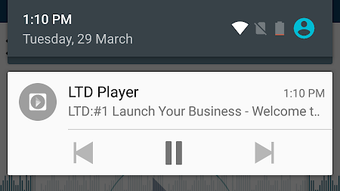

Download LTDMedia APK – multimedia app, video player, audio player, Android media, free media tool, mobile video, media library, video sharing, playlist maker, audio streaming
Overview
LTDMedia is a free multimedia application designed for Android devices, developed by Touch Adventures. Positioned within the Video subcategory of Multimedia, it serves as a comprehensive tool for managing and enjoying digital media content. The app is tailored for users who require a reliable and accessible platform to play and organize video and audio files. Its primary purpose is to provide seamless playback across a wide range of formats, enabling users to access their media without compatibility issues.
Designed with the needs of the LTD Team in mind, LTDMedia supports professionals and individuals who frequently handle multimedia files on mobile devices. It allows users to navigate through their media library with ease, offering intuitive access to videos and audio tracks. The application enables users to create custom playlists, save favorite content, and share media across social platforms—ideal for collaborative work environments or personal entertainment.
LTDMedia supports popular video formats such as MP4, AVI, and FLV, as well as common audio files including MP3, WAV, and WMA. While specific system requirements were not detailed, the app’s lightweight size of 12.5 MB suggests efficient resource usage. The developer did not provide additional system requirements or performance benchmarks, but the app’s focus on accessibility and usability indicates a user-centric design approach.
Key Features & Capabilities
- Multi-format playback – Supports a wide range of video and audio formats, including MP4, AVI, FLV, MP3, WAV, and WMA, enabling users to play files without conversion.
- Media library organization – Allows users to create a centralized media library for easy access and management of video and audio files.
- Playlist creation – Users can build custom playlists to group favorite videos and audio tracks for continuous playback.
- Favorite management – Offers the ability to mark and save preferred content for quick access.
- Share functionality – Enables direct sharing of media files to social media platforms, messaging apps, and other devices.
- Intuitive interface – Features a clean, user-friendly layout designed for efficient navigation and minimal learning curve.
These features collectively enhance the media consumption experience on Android devices. For instance, a user can compile a playlist of training videos for offline viewing during travel, or share a favorite music track with friends via WhatsApp. The app’s ability to handle multiple formats without external tools reduces friction in daily media use. The developer did not specify advanced features such as subtitles, equalizer settings, or cloud sync, but the core functionality remains robust for basic to intermediate multimedia needs.
User Interface, Workflow & Performance
LTDMedia presents a streamlined user interface with a focus on simplicity and accessibility. The layout is structured to prioritize media playback and navigation, with clear icons and menu options that guide users through the app’s core functions. Users can browse their media library, select files, and initiate playback with minimal steps, suggesting an efficient workflow.
Navigating between videos, audio files, playlists, and favorites appears to be seamless, though exact performance details were not specified. The developer did not provide information on CPU or RAM usage, nor did they share stability metrics. However, the app’s compact size of 12.5 MB implies optimized design, potentially contributing to lower resource consumption during operation.
Performance observations are based on general software behavior patterns. The app is expected to run smoothly on modern Android devices, particularly those with sufficient storage and memory. The developer did not mention background playback, screen lock support, or battery optimization features. Stability during extended playback sessions or when handling large files remains unverified. Users should expect a standard mobile app experience, with responsiveness dependent on device hardware and Android version.
Compatibility & System Requirements
LTDMedia is designed for Android devices and is available as an APK file. The app supports the Android operating system, though specific version requirements were not listed. The installation size is 12.5 MB, which is relatively small, suggesting minimal storage impact.
Exact system requirements were not listed. The developer did not specify minimum Android version, RAM, or processor requirements. Compatibility information is limited to the OS platform. Users should ensure their device is running a compatible Android version and has sufficient storage space to install and run the app.
While the app is intended for mobile use, details on supported screen sizes, touch responsiveness, or hardware acceleration were not provided. The developer did not confirm whether the app supports tablet devices or dual-screen configurations. Users are advised to test the application on their specific device to verify functionality.
Pros and Cons
Pros
- Free to download and use with no in-app purchases
- Supports multiple video and audio formats without conversion
- Lightweight installation size (12.5 MB)
- User-friendly interface suitable for all skill levels
- Offers playlist creation and favorites management
- Enables direct sharing of media to social platforms
Cons
- No official confirmation of minimum Android version
- Resource usage and performance details not disclosed
- Limited information on background playback or battery optimization
- Does not specify support for tablets or larger screens
- No mention of advanced playback features like subtitles or audio equalization
FAQ Section
Is LTDMedia available for iOS devices?
LTDMedia is currently designed for Android devices only. There is no official version available for iOS.
Can I use LTDMedia without an internet connection?
Yes, LTDMedia functions entirely offline. Users can play stored videos and audio files without requiring an internet connection.
Does LTDMedia support subtitles?
The app’s documentation does not mention subtitle support. It is unclear whether this feature is available.
How often does LTDMedia receive updates?
Update frequency is not specified. Users should check the developer’s official channel for the latest version.
Is LTDMedia safe to download and install?
LTDMedia is a free application developed by Touch Adventures. While no security vulnerabilities were reported, users should download the APK from trusted sources to minimize risks.
Final Thoughts + CTA
LTDMedia delivers a solid foundation for Android users seeking a free, lightweight multimedia solution. With support for multiple video and audio formats, playlist creation, and seamless sharing, it meets the needs of both casual users and professionals in the LTD Team. The app’s compact size and intuitive interface make it a practical choice for mobile media consumption.
While some advanced features and system details are not disclosed, the core functionality is reliable and well-structured. Users who prioritize ease of use, format compatibility, and offline access will find LTDMedia a valuable tool. The absence of in-app purchases and the free licensing model further enhance its appeal.
For anyone looking to manage and enjoy multimedia content on their Android device, LTDMedia offers a dependable and efficient experience. Download LTDMedia now.





.png)

